

This article was translated by AI from the Chinese version.
A Disclaimer
This post is for front-end beginners and is meant to be easy to follow. I will only explain a few folders: beginners do not need to know everything yet, and I do not know everything either. Please point out anything I describe incorrectly.
The Overall Structure
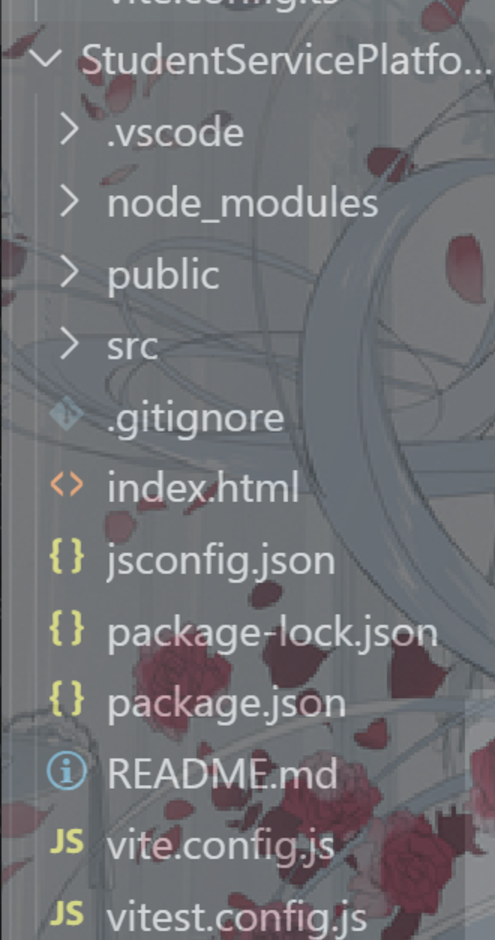
Let us first look at the file structure of a basic Vue project.
Categories
As a beginner, you mainly need to know which files you will use and which you can ignore for now. I roughly split them into these categories:
- The
srcfolder: where your source code lives and where most of your work happens. - Configuration files: for example,
vite.config; you use them when the project needs configuration. - Other files: for example,
README.md, which introduces the project to people on GitHub. You will rarely touch these.
In practice, you will spend most of your time in src and occasionally configure something in a file such as xxx.js or xxx.json. For example, in a Vue project, vite.config can configure a proxy, which is a simple way to point the front end at your back-end service.
The src Folder
Now let us look more closely at src. Recognizing its structure makes writing code much more comfortable. Please do not become the person who throws files anywhere.
Here is the structure of my blog project, which is an Astro project.
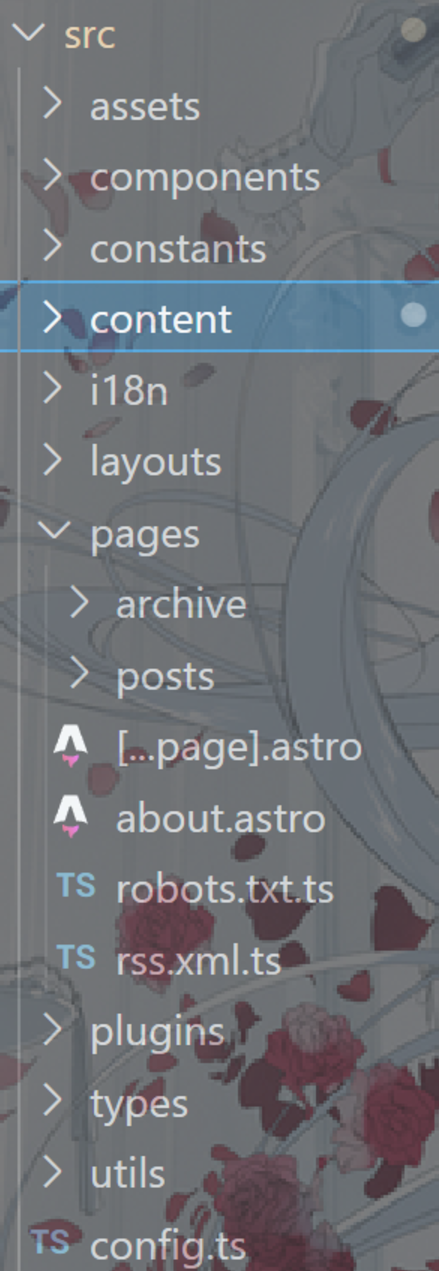
Different project types have different files in src, but first learn the common ones:
pages(viewsin Vue): page files such aslogin.vueandregister.vue. Each one maps to a real page in the project.assets: static resources such as images that are rendered in the front end.components: reusable UI pieces. For example, the navigation bar at the top of this blog is a component. Every page uses it, but there is only one copy of its code. Components are one of the core ideas in front-end projects, and this folder is often further divided by purpose.
These are the basics that almost every project has. Here is another src structure from a Vue project.
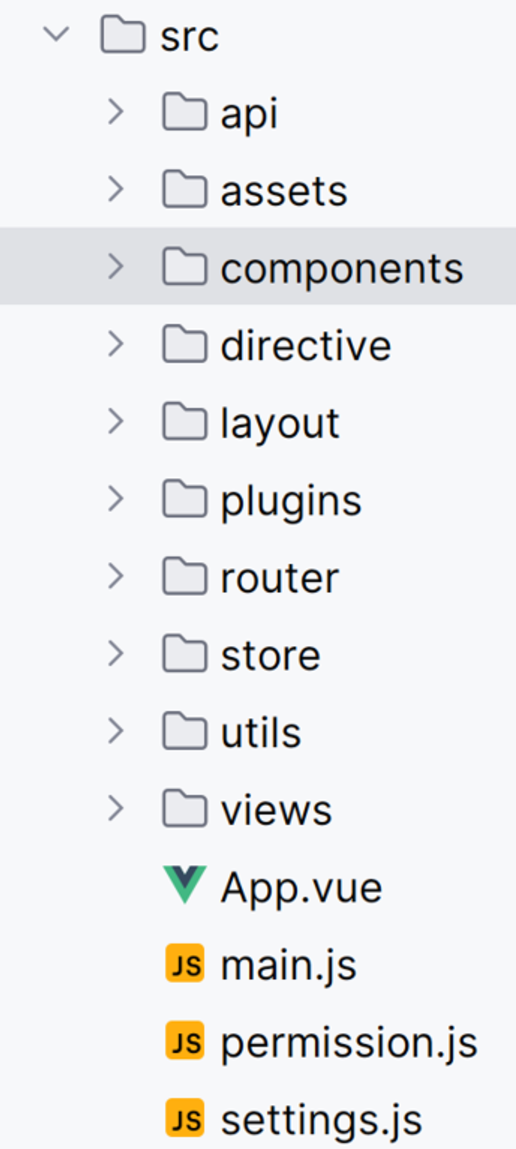
router: where Vue router configuration lives. Search for Vue Router if you want to learn the details.layout: this leads to the idea of nested layouts. You can write a large reusable template, such aslayout.astroorlayout.vue, for the general structure of pages. Then individual pages import that template and put their own content inside it.
Finally
There are many folders I have not mentioned. Some may be important, but I do not know enough about them yet. A useful first step is to translate or search the folder name; most of the time, that tells you its purpose.
You may have noticed that many folders correspond to a large area of front-end knowledge. You can learn piece by piece from your own project structure, or from someone else’s project.